Family versus variant
Model input
Image + text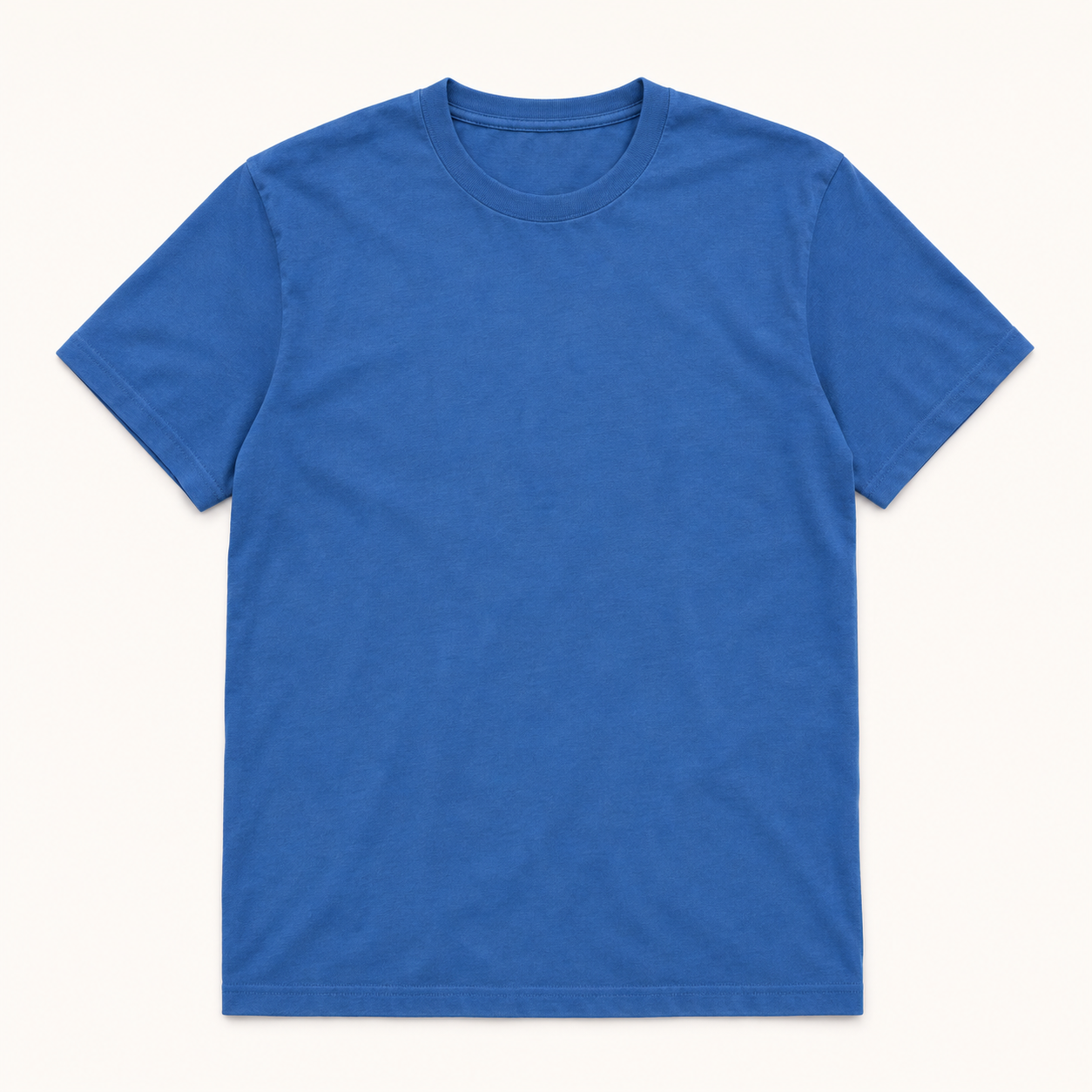
Supplier: cotton T-shirt family available in red and blue. Selected SKU SH-B is blue, size M. Use the selected product photo and supplier details.

Extract product attributes and normalize catalog records from supplier text and images.
Choose an example
Normalize product catalog attributes from supplier evidence.
Step 01
Choose an example, review the proposed output, and annotate the fields that need to change. Your guidance defines the learned rules.
Color of the selected SKU, rather than all colors in the product family.
Size of the selected SKU, such as M or EU 42.
Stated product length normalized to meters; not provided when absent.
Explicit brand name, excluding descriptive marketing terms. Not provided when absent from the source.
Normalize product catalog attributes from supplier evidence.
Supplier: cotton T-shirt family available in red and blue. Selected SKU SH-B is blue, size M. Use the selected product photo and supplier details.
Sutro can now generalize the rules based on your feedback.
Step 02
Compare quality and cost on your examples, then choose a model or use Sutro’s default.
Compare models on expert agreement and cost. The interactive chart uses illustrative measurements.
Illustrative sweep · select Value or Best to use that model in your function.
Step 03
Call Sutro Functions like any other software. Swap the model as soon as something more performant is released.
import sutro as so

input_data = {
    "text": "Supplier: cotton T-shirt family available in red and blue. Selected SKU SH-B is blue, size M. Use the selected product photo and supplier details.",
    "image": so.Image.from_url("https://sutro.sh/assets/function-examples/blue-shirt.png")
}

result = so.run_function(
    "product-catalog-enrichment",
    input_data,
)
curl --fail-with-body -X POST "${SUTRO_API_URL%/}/v1/functions/product-catalog-enrichment/run" \
-H "Authorization: Key $SUTRO_API_KEY" \
-H "Content-Type: application/json" \
-d '{
"input": {
"text": "Supplier: cotton T-shirt family available in red and blue. Selected SKU SH-B is blue, size M. Use the selected product photo and supplier details.",
"image": {
"type": "image",
"url": "https://sutro.sh/assets/function-examples/blue-shirt.png"
}
}
}'import sutro as so
job_id = so.batch_run_function(
name="product-catalog-enrichment",
data="product_catalog_enrichment.csv",
)
results = so.await_job_completion(job_id)curl --fail-with-body -X POST "${SUTRO_API_URL%/}/v1/batch-inference" \
-H "Authorization: Key $SUTRO_API_KEY" \
-H "Content-Type: application/json" \
-d '{
"model": "product-catalog-enrichment",
"inputs": [
{
"text": "Supplier: cotton T-shirt family available in red and blue. Selected SKU SH-B is blue, size M. Use the selected product photo and supplier details.",
"image": {
"type": "image",
"url": "https://sutro.sh/assets/function-examples/blue-shirt.png"
}
}
]
}'Step 01
Upload sample data, define your output schema, and provide feedback on the hardest cases.
Capacity of the selected product variant in milliliters.
Materials explicitly listed in the product description.
Explicit waterproof rating; do not infer from marketing language. Not provided when absent from the source.
Extract product attributes from collected product descriptions.
Listing: standard bottle 500ml; selected variant 750ml.
Sutro can now generalize the rules based on your feedback.
Step 02
Compare quality and cost on your examples, then choose a model or use Sutro’s default.
Compare models on expert agreement and cost. The interactive chart uses illustrative measurements.
Illustrative sweep · select Value or Best to use that model in your function.
Step 03
Call Sutro Functions like any other software. Swap the model as soon as something more performant is released.
import sutro as so

input_data = {
    "text": "Listing: standard bottle 500ml; selected variant 750ml."
}

result = so.run_function(
    "product-attribute-extraction",
    input_data,
)curl --fail-with-body -X POST "${SUTRO_API_URL%/}/v1/functions/product-attribute-extraction/run" \
-H "Authorization: Key $SUTRO_API_KEY" \
-H "Content-Type: application/json" \
-d '{
"input": {
"text": "Listing: standard bottle 500ml; selected variant 750ml."
}
}'import sutro as so
job_id = so.batch_run_function(
name="product-attribute-extraction",
data="product_attribute_extraction.csv",
)
results = so.await_job_completion(job_id)curl --fail-with-body -X POST "${SUTRO_API_URL%/}/v1/batch-inference" \
-H "Authorization: Key $SUTRO_API_KEY" \
-H "Content-Type: application/json" \
-d '{
"model": "product-attribute-extraction",
"inputs": [
{
"text": "Listing: standard bottle 500ml; selected variant 750ml."
}
]
}'